


Free VPN Super™ -Fast & Secure
4.734.50K Reviews
App Specs
- Version
- 2.4.9.6
- Updated On
- License
- Free
- Downloads
- 50,000,000+
- Developer
- TOPAPPS TECH PTE LTD
- Categories
- Tools
- Platform
- Android, iOS
Screenshots


 Analysis by AppCompare
I tend to judge a VPN by the moments when a connection matters, not by how polished its button looks. A VPN can help route your traffic through a different location, but it also adds another link between your phone and the internet. With Free VPN Super™ -Fast & Secure, the appeal is its simple, quick-to-start approach; the sensible question is whether that convenience fits the way you actually use your phone.
When a connection changes the task
A VPN is most useful when you have a specific reason to change how your connection is routed: for example, checking whether a public page loads differently while you travel, or adding a layer of protection on a café’s Wi-Fi. It is less helpful when the thing you need is unavailable because the site itself is down, your mobile signal is weak, or the service requires an account or permission you do not have. A VPN cannot fix those problems, and switching locations repeatedly can make troubleshooting harder.
That distinction matters because a connection that feels slow is not automatically a VPN problem. I would first open a familiar page without changing anything, then connect and try again. If the result gets worse, disconnect and compare. This small check helps separate a weak network from a routing issue instead of leaving you to tap Connect over and over without learning what changed.
A phone-first tool for short sessions
On a phone, I value tools that do not turn a small task into a settings project. This is a Tools app from TOPAPPS TECH PTE LTD, and its one-tap style is aimed at people who want a quick connection rather than a long configuration session. If you only need a VPN occasionally, that low-friction approach can be more appealing than a service that asks you to compare many technical options before you begin.
A realistic use might be arriving at a station, joining its public Wi-Fi to check a booking, and turning on the VPN before opening the page. Once the task is done, I would disconnect if I no longer need the routed connection. That habit keeps the choice deliberate: you can tell when the VPN is active, and you are less likely to blame it later if a banking app, video call, or other service behaves differently.
It is also worth thinking about battery and connection stability in everyday use. Any extra network step can affect responsiveness, especially when you move between Wi-Fi and mobile data or pass through areas with poor reception. I would not treat a VPN as something that guarantees smoother browsing. If a video call is already struggling, first move to a stronger connection; adding a VPN may not help and could make the experience less predictable.
What to do when the connection falters
If a page stops loading after you connect, keep the troubleshooting simple. Check whether other websites work, then try disconnecting and reconnecting once. If only one service fails, it may be reacting to the VPN route rather than indicating that your whole internet connection is broken. For a task that needs your ordinary connection, such as accessing a service that expects your usual location, turning the VPN off may be the clearest test.
Worth Reading Before You Choose

Flipboard Shows What News Apps Must Do Beyond the Feed

Switching to Android Auto Means Rethinking Your Driving Routine

Google Calendar Makes a Crowded Week Easier to Manage

Ludo King Makes the Most of the Minutes Between Plans

Baby Panda World Brings Quick Play to Modern Phones, but Its Game Library Feels Busy

ESPN’s Live Game View Makes Following Close Games Easier
This is where a one-tap design has a useful trade-off. It lowers the barrier to trying a VPN, but it does not remove the need to notice what is happening. Before starting a time-sensitive task, I would connect early and make sure the pages or apps I need still work. That is more dependable than waiting until a meeting, payment, or travel check-in is underway and troubleshooting under pressure.
Choosing how much data to route
A VPN changes the route for internet traffic while it is active, so I would be selective about when I use it on mobile data. If I am browsing casually and have a limited plan, I would avoid leaving any VPN running without a reason; the VPN itself is not a substitute for managing video quality, background downloads, or other data-heavy activity. For long streaming sessions, I would check how the connection behaves on my own network rather than assuming that a VPN will preserve the same speed or data use.
There is another practical trade-off: the easiest server choice is not always the best one for a particular task. A route that suits general browsing may not suit a site that depends on your normal region. If an app asks you to verify your identity again or presents unexpected language or location settings, I would stop and reconsider the route instead of treating that change as proof that the VPN is working better.
Where it fits among VPN choices
Compared with manually configuring a VPN through a phone’s system settings, an app can be much easier to start and stop. Compared with a paid VPN service that offers detailed controls, a free option is a simpler first step, but it may not be the right fit for someone who needs to evaluate specific server locations, advanced configuration, or consistent performance for work. My advice is to judge it by the ordinary tasks you need it for, not by broad promises about speed or privacy.
The app is free to install, with in-app purchases listed from $1.49 to $39.99 per item. Its Everyone age rating makes it broadly suitable from an age-classification perspective, but that is not a substitute for a parent’s judgment about a child’s internet use. If you need a VPN for sensitive professional work, compare providers carefully and read their current privacy terms before routing that traffic through any service.
For a first-time user, a useful routine is to connect only when you have a clear reason, confirm that the destination you need still works, and disconnect when the task is finished. That makes a simple tool easier to understand and avoids turning the VPN into a mysterious background setting. It also gives you a practical basis for deciding whether this app is enough or whether you need a service with controls you can inspect more closely.
Getting Started with Free VPN Super
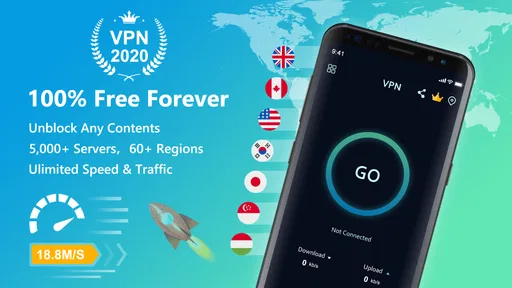
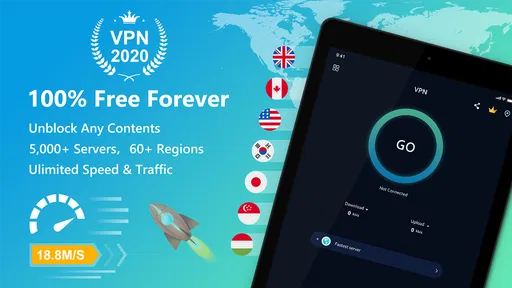
First things first, let’s talk about setting up Free VPN Super™ -Fast & Secure. Once you download the app, which you can easily find on both Android and iOS, the setup process is pretty straightforward. You don’t need to be a tech guru to get this going. Simply open the app, and you’re greeted with a clean interface that’s all about getting you connected as quickly as possible.
One thing I really appreciate is how user-friendly everything is. You have a big, bold button right in the center of the screen that says "Connect," and once you tap it, you’re instantly linked to one of their many fast servers. No fuss, no muss. It’s like the app knows that you’re here for a quick fix and delivers just that!
Features That Stand Out
Now, what makes this app stand out in a sea of VPN services? For starters, the speed. I’m not kidding when I say it’s fast. Whether you’re streaming your favorite show or just browsing, the connection remains smooth and reliable. It’s like having a high-speed internet lane all to yourself.
Another feature worth highlighting is the security. The app uses top-notch encryption to keep your data safe from prying eyes. In today’s world, where everyone seems to be after your data, knowing you’re protected is a huge relief. Plus, there’s no logging of your activity, so you can browse with peace of mind.
Using Free VPN Super for Streaming
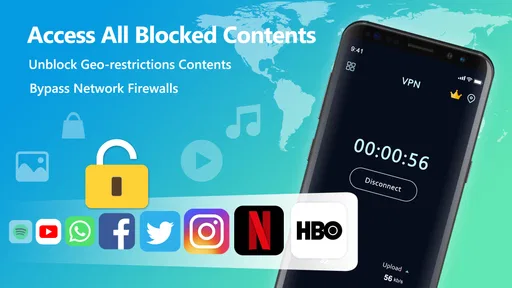
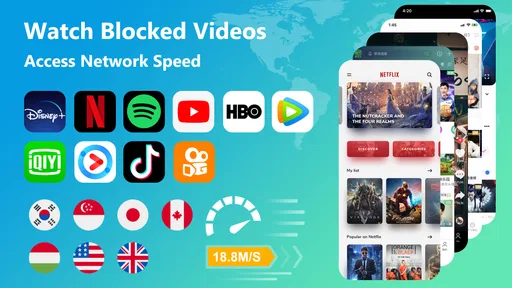
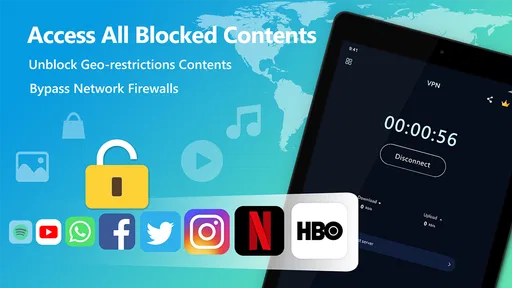
If you’re like me and enjoy a good Netflix binge, you’ll be happy to know that Free VPN Super™ -Fast & Secure plays well with streaming services. I’ve had zero issues accessing geo-restricted content. Just connect to the appropriate server location, and voila, you’re in!
Also, the app doesn’t seem to cap your data, which is a big plus. You can stream movies all day without worrying about hitting a limit. It’s perfect for those lazy weekends when you just want to chill and catch up on your favorite shows.
Privacy and Security
Let’s dive a bit deeper into the privacy aspect. Free VPN Super is all about keeping your online activities private. They use military-grade encryption, which sounds pretty intense but basically means your data is locked up tight. Whether you’re connected to a public Wi-Fi at a café or browsing at home, you’re covered.
Another cool feature is the "Kill Switch." If the VPN connection drops for any reason, this automatically cuts off your internet, ensuring your data isn’t accidentally exposed. It’s like having an automatic lock on your door—just in case!
Ease of Use
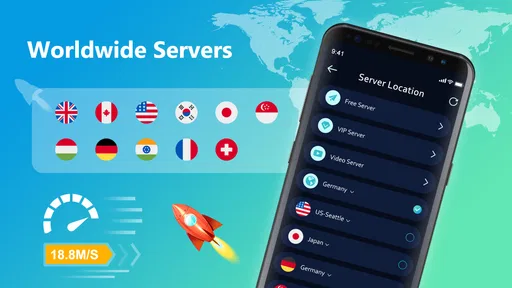
I can’t emphasize enough how easy this app is to use. The developers clearly put a lot of thought into the user interface. Everything is intuitive, so even if you’re not tech-savvy, you won’t have any trouble navigating the app. The settings menu is straightforward, giving you control over which server to connect to without overwhelming you with too many options.
There’s also a nifty feature that automatically connects you to the fastest server. So, if speed is your game, this app is playing on your team.
Final Thoughts
Overall, Free VPN Super™ -Fast & Secure is a solid choice if you’re looking for a fast, reliable, and secure VPN service. It’s perfect for anyone who values their online privacy and wants an easy way to access content from around the world. With its user-friendly design and powerful features, it’s definitely worth checking out.
So, whether you’re trying to dodge geo-restrictions or just want to keep your online activities under wraps, give this app a try. You might just find it’s exactly what you’ve been looking for!
Who is likely to get the most from it?
I would point casual VPN users toward this app first: people who want a straightforward way to try a routed connection without learning network terminology. It has a 4.7 average from around 1.4 million ratings, and it has passed 50 million installs, which suggests many people have at least been willing to give it a try. Those figures are useful context, not a guarantee that its connection will suit your phone, carrier, or favorite services.
The release date is July 7, 2020, and the current version is 2.4.9.6. On Android, it requires version 7.0 or later. If you are using an older phone, check compatibility before planning around it; if your device meets that requirement, the main decision is less about setup and more about whether a simple VPN workflow matches your needs.
I would skip it if you need a carefully auditable privacy setup, a specific server location for a work requirement, or a predictable connection for a critical live task. In those cases, a provider with clearly documented controls and terms—or your organization’s approved VPN—would be a better place to start. A popular app can be convenient, but popularity alone cannot answer questions about suitability for sensitive activity.
Make the first connection a useful test
Rather than installing it right before a trip or deadline, I would test it at home first. Open a few ordinary sites, connect, and check them again. Then try the particular app you care about, such as a streaming service or a travel account. This establishes a baseline and tells you whether the VPN changes anything important for your own routine, without leaving you to discover a compatibility issue when you have little time.
If automatic server selection is available, it is a sensible starting point for general browsing. If a service behaves differently, compare with the VPN disconnected before changing locations or assuming the app is at fault. Repeatedly switching routes can create confusion about which connection produced which result. One change at a time is a small but useful troubleshooting habit.
Privacy claims deserve practical judgment
Privacy is a reason to consider a VPN, but I would not treat the word “secure” as a complete privacy review. A VPN can change the path your traffic takes; it does not make every website trustworthy, prevent every kind of tracking, or remove the need to protect accounts with strong passwords and careful sign-in habits. I would avoid entering highly sensitive information through unfamiliar public networks simply because a VPN is on.
Likewise, a connection interruption is a moment to pause, not to assume that protection is still active. If the app indicates that it has disconnected, wait until it reconnects before continuing with a task for which you wanted the VPN. If you depend on uninterrupted access, test that behavior in a low-stakes setting first and keep a normal connection available as a fallback.
My connectivity verdict
For quick, uncomplicated VPN use, Free VPN Super has an approachable starting point: the central connection control makes the basic action easy to understand, and the app is free to install. I would use it for casual browsing or a deliberate public-Wi-Fi session after checking that the sites I need behave normally. I would not rely on it blindly for important work, nor assume that any VPN can overcome a poor signal or guarantee access to a particular streaming library.
Its strongest fit is someone who values convenience and is willing to stay attentive to connection status and app behavior. If you want fine-grained control, need dependable support for a specific professional setup, or prefer not to route traffic through a service until you have reviewed its privacy terms, choose a more transparent or purpose-built alternative. For everyone else, a short personal test—connect, check the task, compare, and disconnect when finished—is the most useful way to decide whether this tool earns a place on your phone.
Pros
- Easy to set up and use.
- Unlimited bandwidth available.
- High-speed connections.
- Supports multiple devices.
- No registration required.
Cons
- Ads can be intrusive.
- Limited server locations.
- No live customer support.
- May affect battery life.
- Free version has restrictions.
FAQs for Free VPN Super™ -Fast & Secure
What is Free VPN Super™ - Fast & Secure?
Free VPN Super™ - Fast & Secure is a mobile application designed to provide users with a secure and private internet browsing experience. It allows you to mask your IP address, encrypt your data, and access restricted content from around the world. The app is available for both Android and iOS devices.
Is Free VPN Super™ really free to use?
Yes, Free VPN Super™ offers a basic version that is free to use, providing essential VPN services without a subscription fee. However, there are premium features available that require a paid subscription, such as access to faster servers and more global locations to connect to.
How does Free VPN Super™ ensure my online security?
Free VPN Super™ employs strong encryption protocols to ensure that your online activities are secure and private. This means your data is encrypted, making it difficult for hackers or any third parties to intercept your information. The app also prevents tracking by masking your IP address.
Can I access geo-restricted content with Free VPN Super™?
Yes, Free VPN Super™ allows you to bypass geo-restrictions, enabling access to content that may be unavailable in your region. By connecting to servers in different countries, you can view websites and streaming services that are typically restricted based on your geographical location.
Does using Free VPN Super™ affect my internet speed?
Using a VPN can sometimes impact your internet speed, depending on various factors such as server load and distance. Free VPN Super™ aims to provide fast and reliable connections, but users might notice slight speed reductions compared to their normal internet connections. Premium servers may offer better performance.


